Azure can be confusing, especially when you start hearing terms like App Registration and Service Principal thrown around. If you’re new to Azure, these concepts can feel like a foreign language – almost like someone handed you a car manual in a language you don’t speak and expected you to drive off immediately. But don’t worry! We’re going to break it all down in a way that actually makes sense in this Azure App Registrations vs Service Principals, Simplified post.
The Simplest Analogy Ever
Imagine your friend Joanne wants to play a board game in your house:
-
App Registration → Joanne’s ID card. It says: “This is Joanne, and she wants to play.”
-
Service Principal → The permission slip that lets Joanne actually sit at the table and move the pieces.
Without the ID, Azure doesn’t know who your app is. Without the permission slip, your app can’t do anything – it’s just a name.
What is an App Registration?
An App Registration is basically the identity of your app in Azure Active Directory (Azure AD).
It stores things like:
-
App ID (like a username)
-
Redirect URIs (where Azure sends authentication responses)
-
Secrets or Certificates (passwords your app uses to prove who it is)
Important: On its own, an App Registration cannot access Azure resources. It just represents your app’s identity.
How to Create an App Registration in the Azure Portal
-
Go to the Azure Portal and open Azure Active Directory.
-
Click App registrations → New registration.
-
Give your app a name.
-
Choose Supported account types (usually “Accounts in this organizational directory only”).
-
Enter a Redirect URI if needed (optional for some apps).
-
Click Register.
After registration, you’ll see:
-
Application (client) ID → Your app’s unique ID
-
Directory (tenant) ID → Your Azure AD tenant
-
Options to create Certificates & secrets
What is a Service Principal?
A Service Principal is the object that grants your app permissions to access Azure resources.
-
It links the App Registration to a subscription or resource.
-
Permissions are controlled with Role-Based Access Control (RBAC).
-
Multiple subscriptions or resource groups can each have their own Service Principal for the same app.
Analogy revisited: Service Principal = Joanne’s permission slip – it actually lets her move pieces on the board.
How to Create a Service Principal
A service principal is automatically created when you register an app via the GUI, but you can also create one manually using PowerShell:
# Assign a role (Contributor in this example) to the service principal at subscription scope
New-AzRoleAssignment -ObjectId $sp.Id -RoleDefinitionName “Contributor” -Scope “/subscriptions/<YourSubscriptionId>”
Replace
<YourSubscriptionId>with your actual Azure subscription ID.
How RBAC Works with Service Principals
Azure uses Role-Based Access Control (RBAC) to decide what identities can do:
-
Assign a Role: e.g., Reader, Contributor, or Owner.
-
Scope: Roles can be assigned at different levels:
-
Subscription
-
Resource group
-
Individual resource
-
-
Permission Check: Azure checks the service principal’s roles at the relevant scope before allowing access.
Example:
-
App Registration: “MyApp”
-
Service Principal in Subscription A: Contributor on Resource Group 1
-
Service Principal in Subscription B: Reader on all resources
Now the app can do different things in different subscriptions.
Viewing App Registrations and Service Principals in PowerShell
App Registrations
Service Principals
Tip: The AppId links an App Registration to its Service Principal. One app can have multiple service principals across different subscriptions.
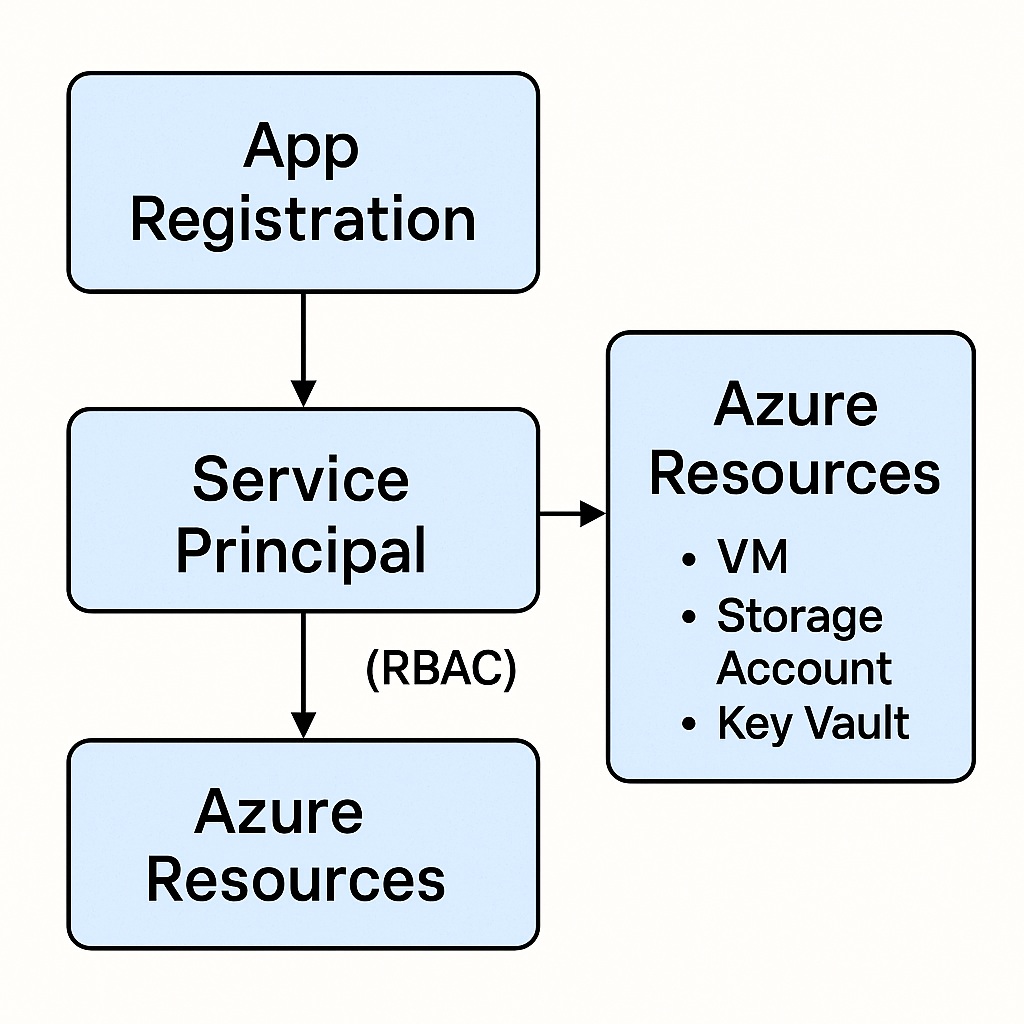
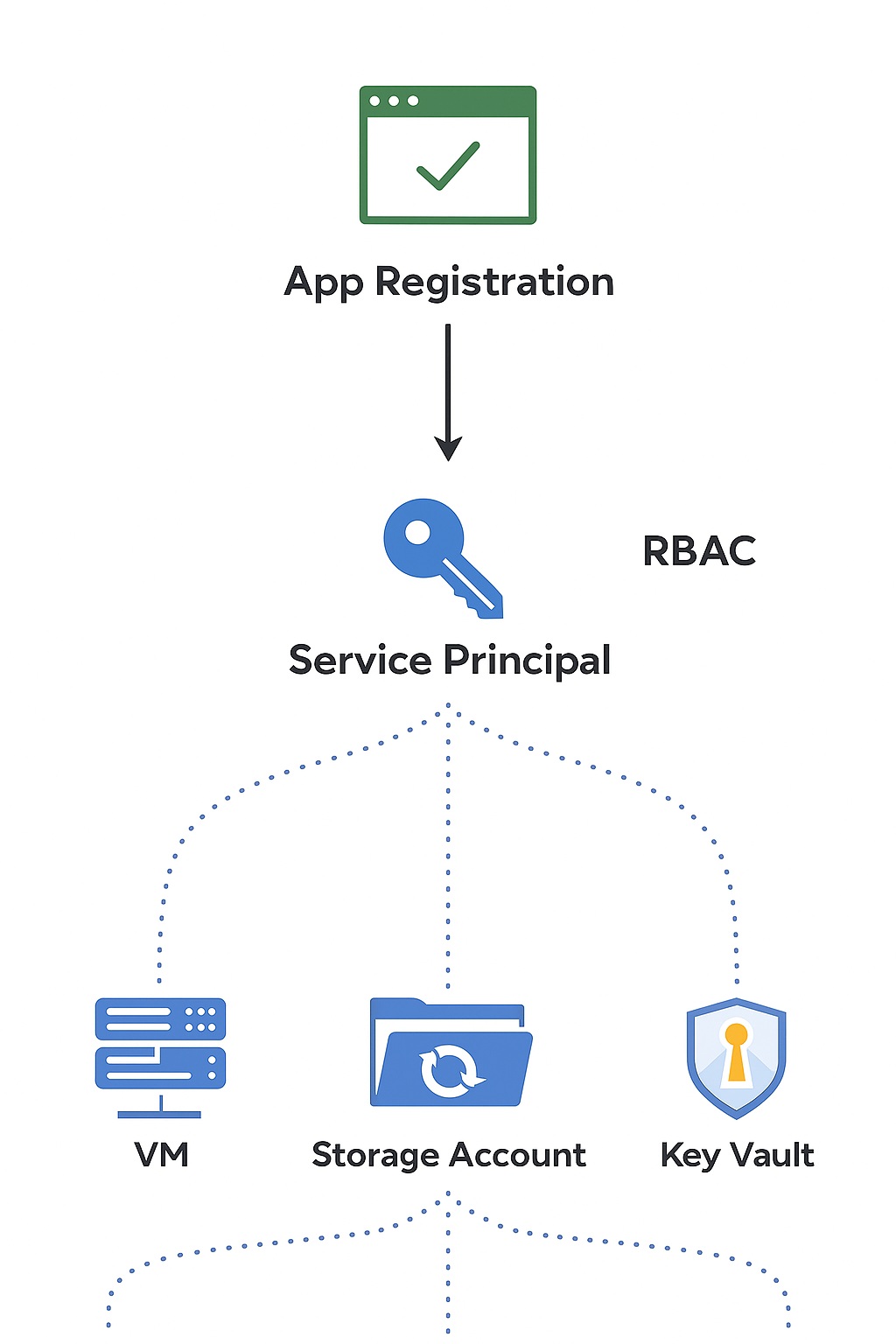
Diagram: How It All Fits Together
Here’s a simple way to visualize it:
Explanation:
-
The App Registration is the app’s identity in Azure AD.
-
The Service Principal is the identity that actually has permissions to do things.
-
RBAC roles assigned to the service principal control what it can do at each scope.
Key Takeaways
-
App Registration = Identity of the app.
-
Service Principal = Permissions for that app.
-
RBAC determines what a service principal can do.
-
One app registration can have multiple service principals across subscriptions or scopes.
-
Creating secrets, certificates, or managed identities allows secure authentication for your app.